How it works
Here's what running your store looks like.
01
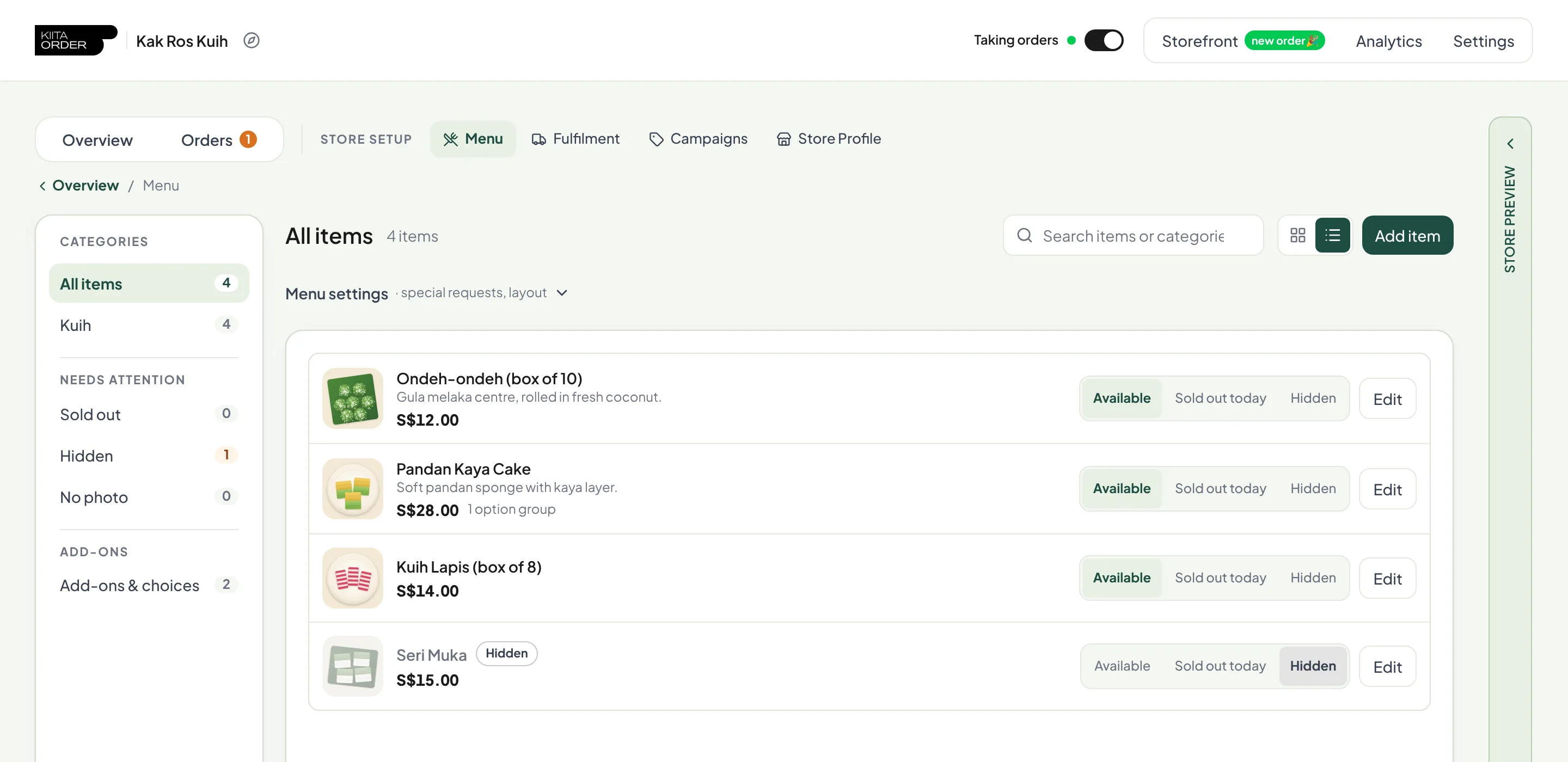
Put your menu up
Add photos, prices, options and add-ons. Mark anything sold out for today, set a daily limit on what you can only make so much of, and hide items until they're ready.
02
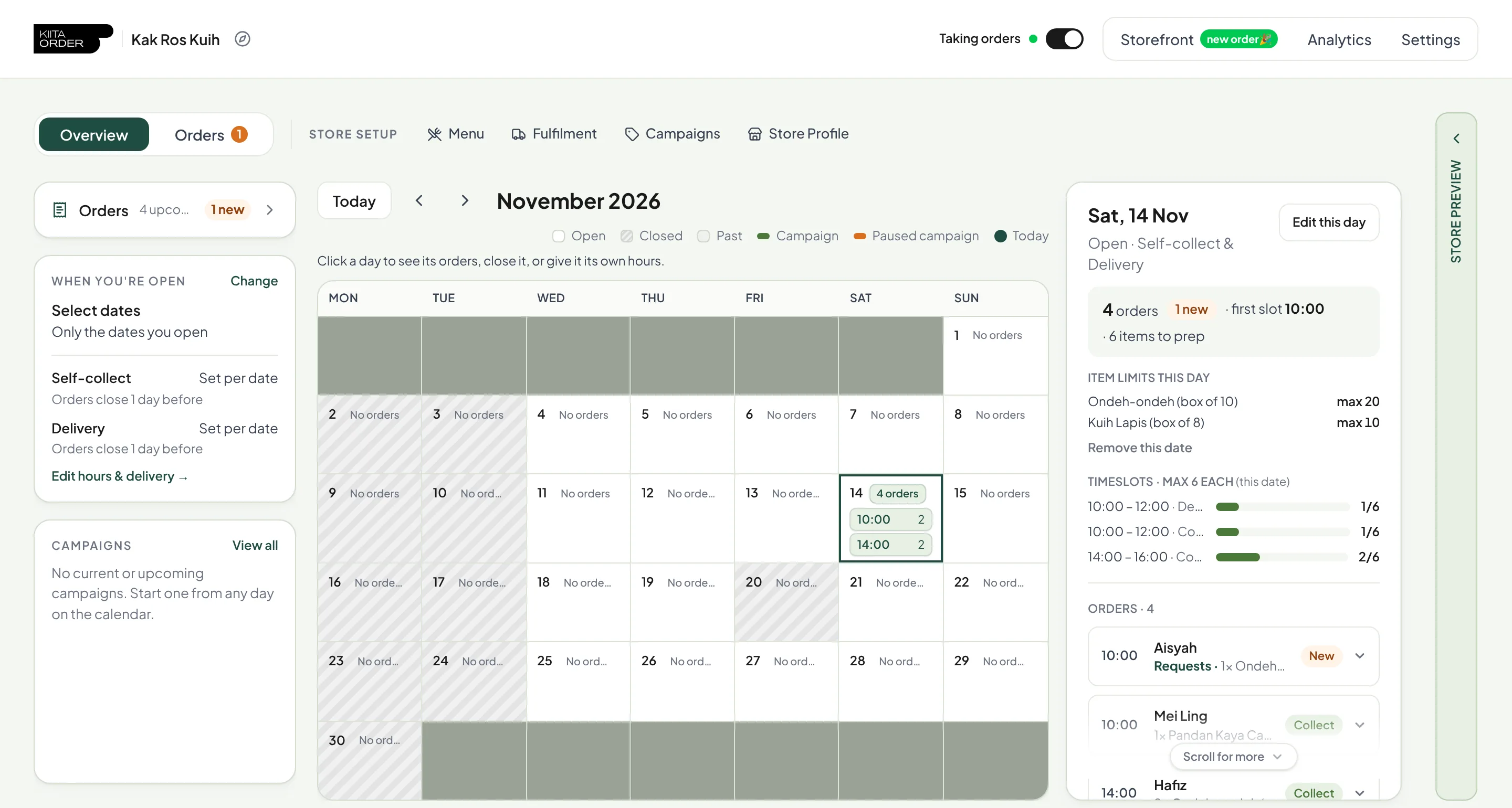
Open your dates and time slots
Pick the days you're open, your weekly days off and cut-off times. Cap how many orders each slot takes, and it closes by itself once you're full. Tap any day to see its orders.
03
Share your link. Buyers order and pay.
Your store lives at your own link. Buyers pick a date and slot, choose delivery or self-collect, and pay upfront by PayNow. No account, no DMs.
kiitaorder.com/store/your-store



04
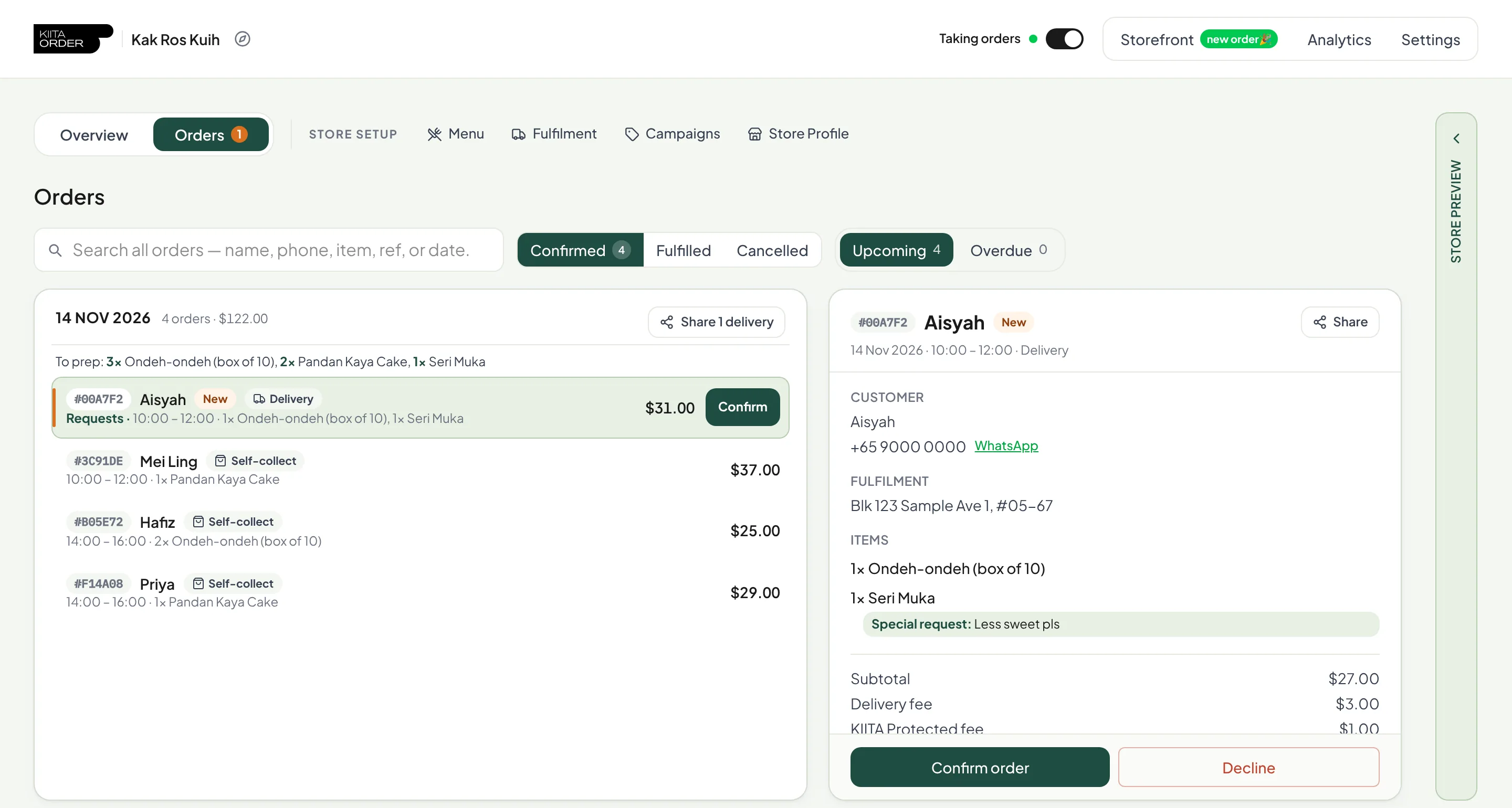
Orders come to you, already paid
Every order lands in your dashboard with the date, slot, items and any special requests, and you get an email straight away. Confirm or decline in one tap, or connect Telegram to get alerts there too.
05
See exactly what you keep
Every order shows what the buyer paid and what you receive after fees. Payments go to your own Stripe account and are paid out to your bank daily.
See pricing →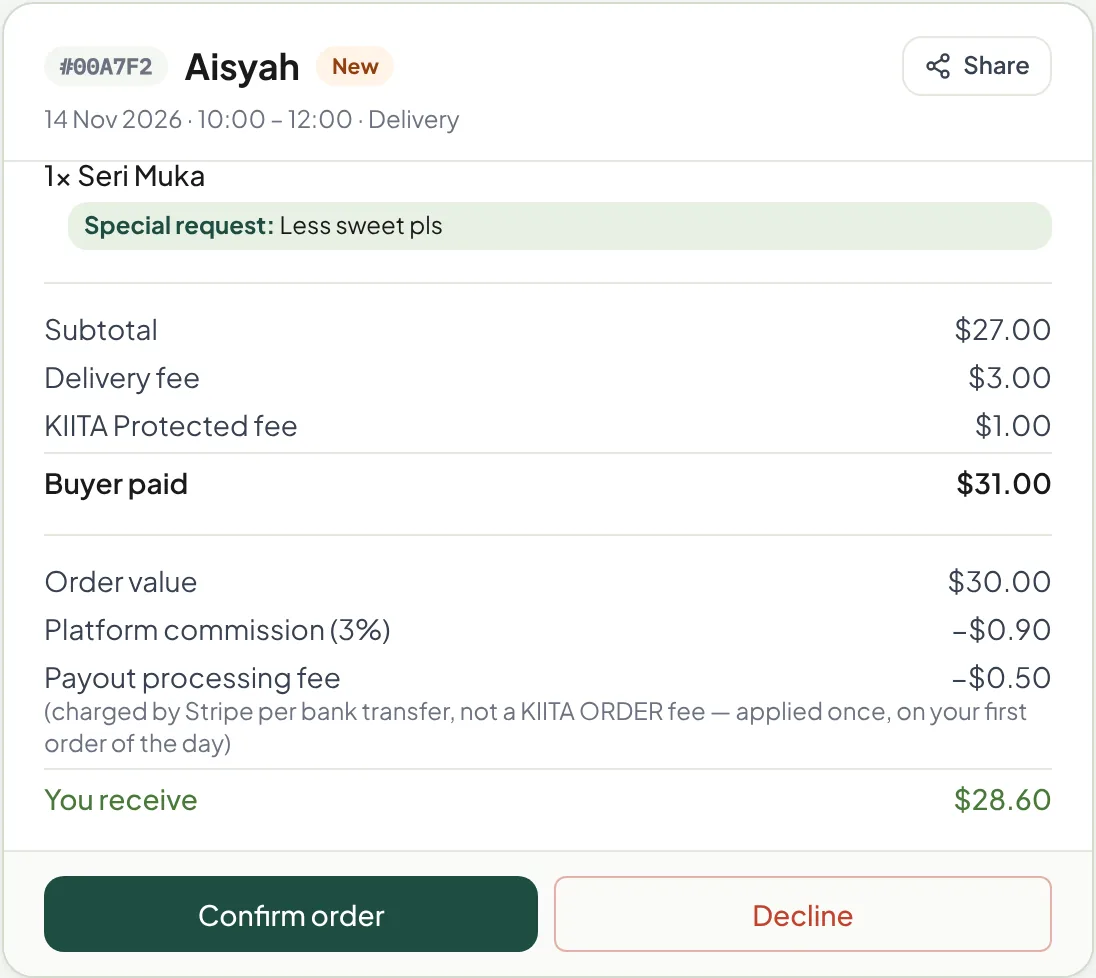
Ready when you are, sis.
Leave your details and we'll set up your store together with you.
Read the FAQ